An invalid_client error indicates that the client_id or the client_secret are invalid.
Solution
-
Check if your
client_id is correct. You can check it in the Console.
- Check if your
client_secret is correct. You should have kept this in a safe place when downloading the file.
Note that the client_id and client_secret are different in both, Live and Sandbox, environments.
-
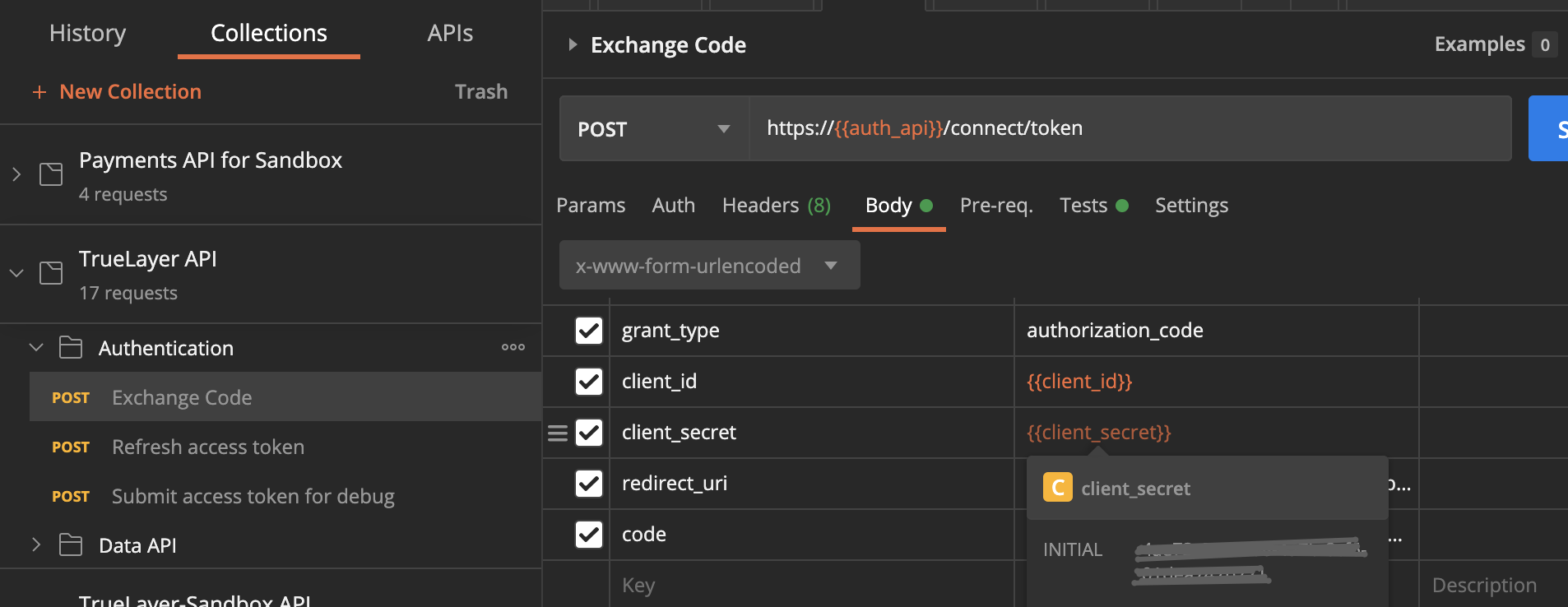
If you hover your mouse above the
client_id & client_secretin Postman, it should match the ones from the Console:
-
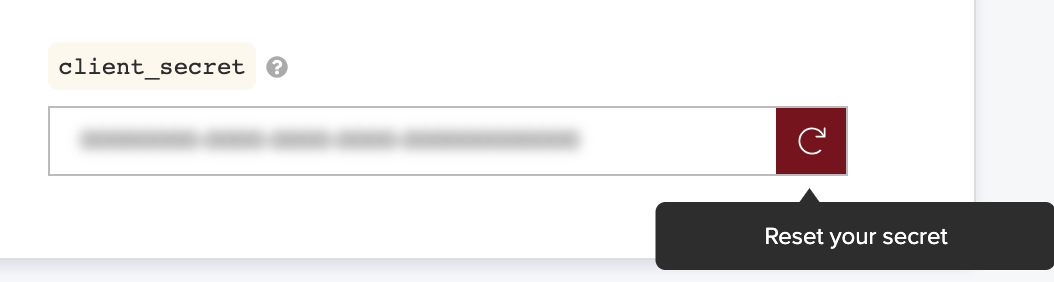
If you have lost the
client_secret, you can always generate a new one through the TrueLayer Console, under App Settings → Reset Client Secret. Remember to save your client-secret somewhere safe and memorable and replace it everywhere in your application.
Still having problems? Check the environment matches the collection
Sandbox
When using the Sandbox environment in the Console, make sure to download the Sandbox Postman Collection.

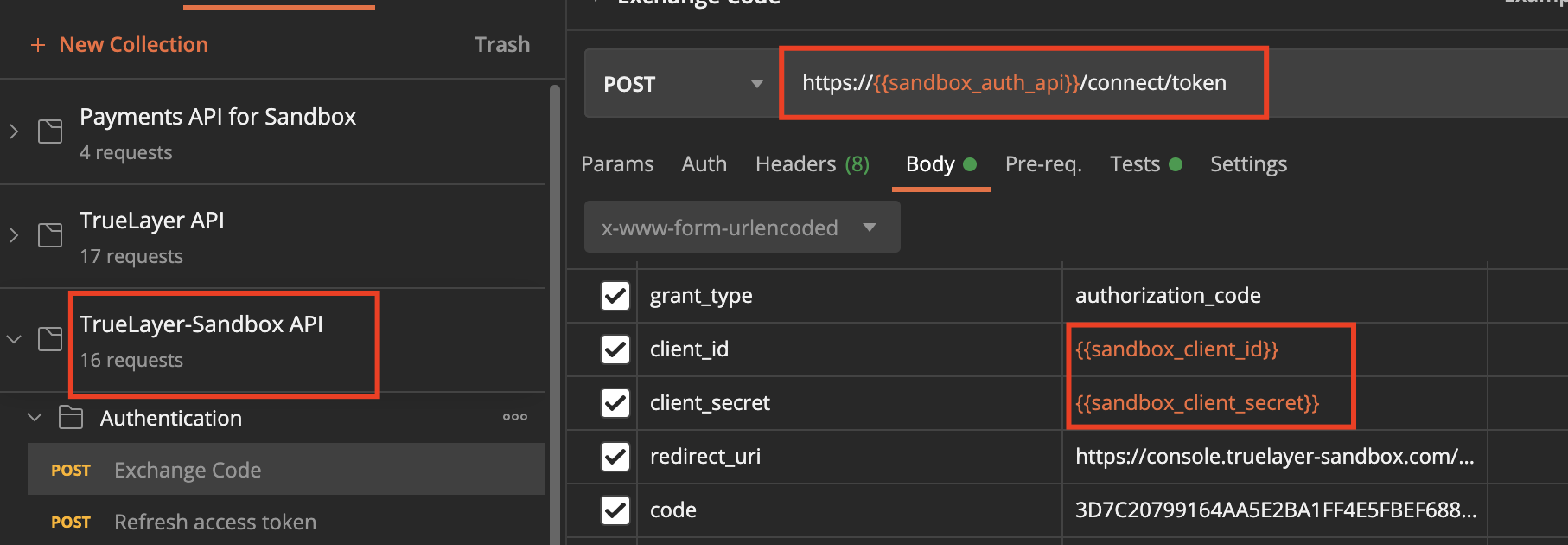
The URI in the Sandbox environment is https://auth.truelayer-sandbox.com/.
Live
When using the ‘Live’ environment using the Console, make sure to download the Live Postman Collection.

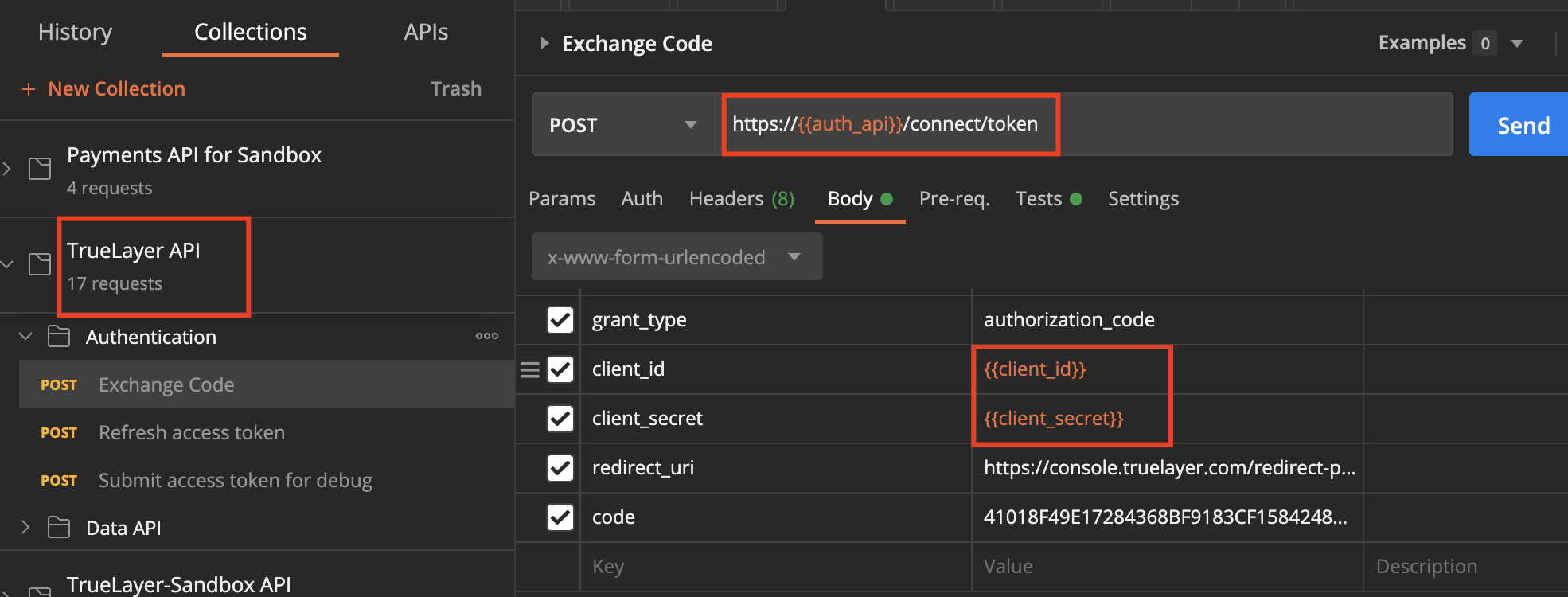
The URI, in this case, must be https://auth.truelayer.com/.
More
Have a look at our comprehensive list of the authentication error descriptions in our API documentation.
Check out our Guide Getting started with Data API.
Comments
0 comments
Please sign in to leave a comment.